-
Crescendo
Please Read Before Downloading Any Files
- Clicking the file link for the respective machine will automatically download the zipped programming files. Each browser is different, we suggest using the web browser you are most comfortable with, to help you locate the file fast.
- Create a dedicated software folder on your desktop.
- Once you have located the correct zip file, extract those files to your newly created folder.
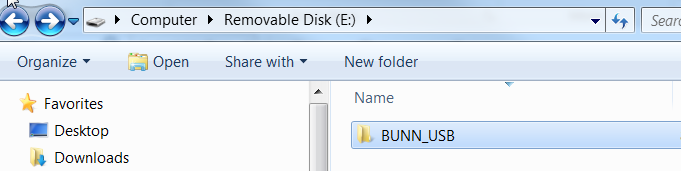
After the file has been unzipped to the desktop, the BUNN_USB folder should be transferred to the root directory of the USB. When complete the directory should look like this:
-
Students mustMark as done
Revision 00.45
- This software revision introduces VirtualTOUCH Sense the touchless option for Crescendo.
- This update is only for the functionality of VirtualTOUCH Sense and is not mandatory for general use.
*Hardware Requirements – Generation 2 PCAP, Software 01.20, or greater. Machine manufactured January 2019 or may not be retrofittable. *
- There is a new sub-menu at the end of the Calibrations menu in Program Mode that allows configuring the new mode.
- The first two screens, “Touchless Mode” and “Sensitivity”, are only available if a Gen 2 PCAP with 01.20 or newer software is on the machine.
- The third screen, “Confirm Dispense”, allows the machine to require a secondary confirmation button press of the beverage selected before it will dispense in RUN mode. This implements a “blinking LED” as a way to indicate that the button needs pressed again to initiate the user dispense and that further action is required.
- The fourth screen is a way to test switches but use the touchless mode selection options.
- There are four levels of sensitivity. Please see the detailed instructions.
Version 46
- Added Portuguese language. This upgrade is not mandatory.
-